Text layers, not pictures of text
Font, size, color and per-word styles of the original. Translate or rewrite straight in After Effects.
Extension for After Effects 2025+
Drop a PowerPoint, Keynote, PDF or Illustrator file. Get one comp per slide, vectors as shape layers and text you can still edit.
0.8 New: Keynote templates, cloud folders, exact letters for missing fonts →
A real slide after import: every piece is its own layer.
Before / After
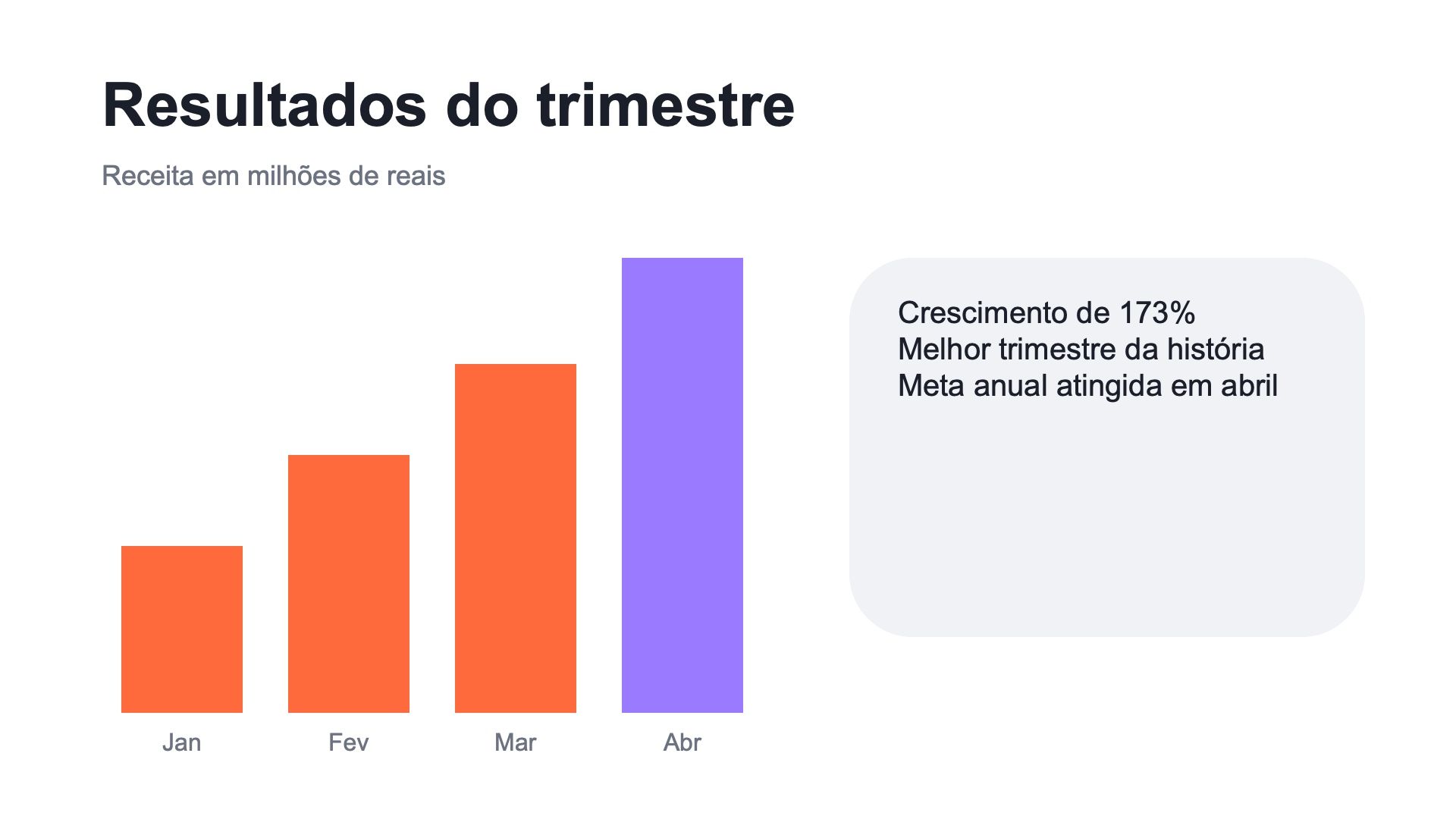
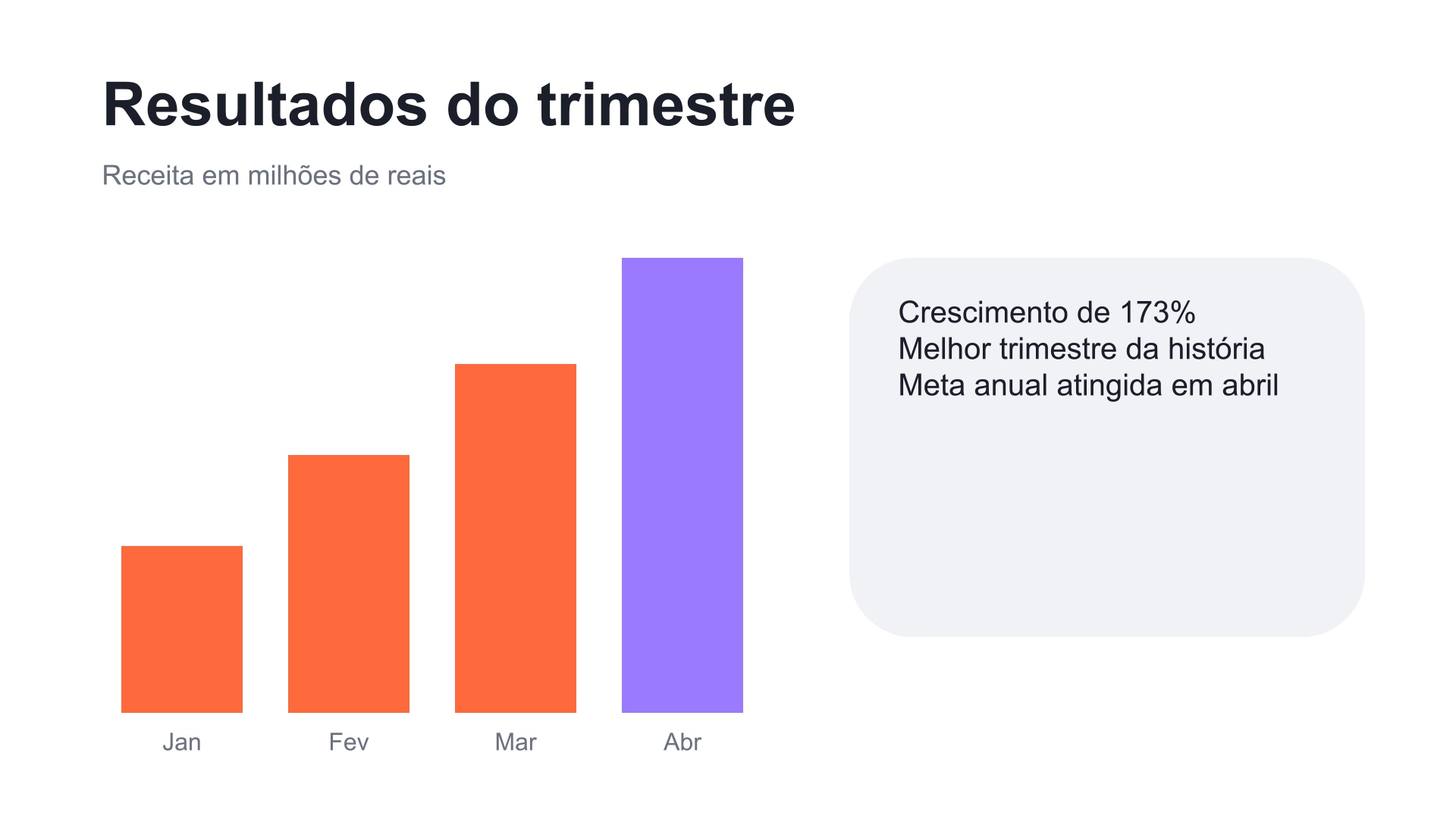
Drag to compare PowerPoint's render with the After Effects comp Slide2Comp built. Then show the layers to see what's inside.
Inside a slide
Keep scrolling: this is the slide above, taken apart exactly as it lands in your timeline.
How it works
Features
Font, size, color and per-word styles of the original. Translate or rewrite straight in After Effects.
Grow the bars, add Trim Paths, Repeater or anything you have in mind.
Organized in a "Slide2Comp / your file" folder, plus an optional comp with every slide in sequence.
Missing font? The closest match keeps the line width. Install it and click "Reapply fonts".
Gradient backgrounds and fills become editable Gradient Fills (After Effects 2026).
Speaker notes become markers; "Advance after" becomes comp duration.
Runs in the background with progress and time left. Your original file is never changed.
Prefer the original look? Text in a missing font can become shapes with the exact letters of the file.
PowerPoint, Keynote, Google Slides, and PDFs from Acrobat, Illustrator, Keynote or Office: one panel for all.
Files in Google Drive, OneDrive or iCloud are downloaded when needed; if they can't be, the panel tells you why.
If Illustrator quits in the middle, it is reopened and the slide redone. The result comes out complete.
Overview
Requirements
Slide2Comp is in closed beta. Want to try it with your own files before launch?
For .pptx, .ppt, .pptm, .ppsx, .pps and .odp files, yes: PowerPoint creates the PDF of each slide. Keynote files need Keynote (Mac). For PDF and .ai files you only need Illustrator.
Slide2Comp picks the closest font, keeps the width of the line and lists the replaced fonts in the panel, with links to Adobe Fonts and Google Fonts. After you install them, "Reapply fonts" switches the layers back. Or turn on "Text with a missing font becomes shapes" to keep the exact letters (that text is no longer editable).
Yes. In After Effects 2026 gradients become Gradient Fills on shape layers. In After Effects 2025 they stay as Illustrator art with the right colors. Gradients with transparency become shape layers too, with the transparency of each color stop.
Slide animations are not imported in this version: you animate in After Effects, with layers ready for it.
Yes. PowerPoint bullets ("•", "1.") go into the paragraph text, with their color and a hanging indent. This works in centered and rotated lists too, in Keynote files and in PDFs, also for bullets drawn as small circles, squares or triangles. Only unusual bullet shapes stay as separate layers.
No. Protected PDFs and presentations are refused with a clear message: remove the protection and import again.
That window is from After Effects (low memory or integrated graphics). Click "Continue with known issues": Slide2Comp works, just slower.
Yes. On a Mac, drop the .key file: Keynote exports it in the background, with speaker notes and skipped slides. For Google Slides, paste the presentation link in the panel (shared as "Anyone with the link"), or download it as .pptx or PDF and drop the file.
Yes. Drop the file from the synced folder: if it is only in the cloud, it is downloaded on the spot. Without a connection (or with the cloud app closed), the panel says the file could not be downloaded, instead of failing with a strange error.
Slide2Comp reopens it and redoes that slide, without any dialog to answer, and tells you at the end that the result is complete. Only if it keeps crashing on the same slide does the conversion stop, with tips to try again.